
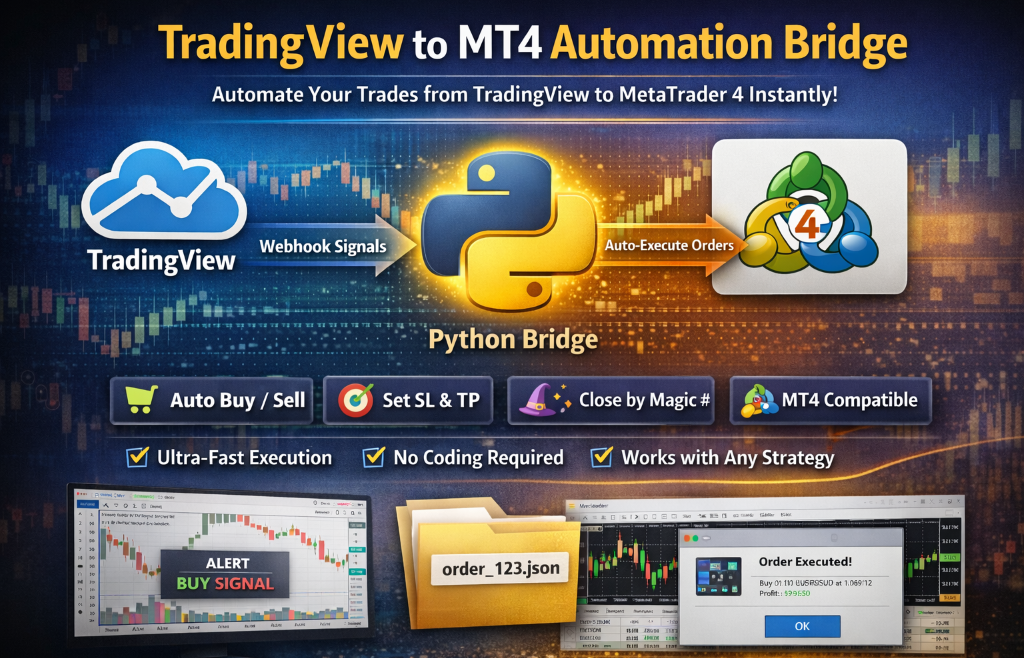
Modern traders demand speed, accuracy, and automation. Manual order execution from TradingView to MT4/MT5 causes delays, slippage, and missed opportunities. Our TradingView to MT4 Automation Bridge solves this problem by enabling fully automated order execution directly from TradingView, without manual intervention.
🚀 What This Tool Does
This solution allows any TradingView strategy or indicator to send trading instructions instantly to your MetaTrader terminal. With this tool, you can:
✔ Execute Buy/Sell orders automatically
✔ Set SL / TP levels from webhook alerts
✔ Exit positions programmatically
✔ Manage Magic Numbers
✔ Use risk-based lot sizing (optional)
✔ Trade multiple symbols simultaneously
✔ Support for MT4 and MT5 together
🔧 Architecture Overview
Our system uses a robust 3-layer pipeline:
This architecture ensures:
✔ Zero repaint issues
✔ No DLLs required
✔ No broker plugins
✔ No API limitations
✔ Works on VPS or local machine
⚡ Ultra-Fast Execution
The moment TradingView fires an alert, the order is pushed to MetaTrader within milliseconds. This is critical for:
🧩 Compatible with Any TradingView Strategy
No modification required in your Pine Script — simply add webhook alerts with JSON like:
{"symbol": "BTCUSD", "action": "buy", "lot": 0.01, "sl": 0, "tp": 0, "magic": 123456}
{"symbol": "BTCUSD", "action": "close", "magic": 123456, "side": "buy"}
{"symbol": "BTCUSD", "action": "close", "magic": 123456, "side": "both"}
Works with:
✔ Indicators
✔ Strategies
✔ Custom scripts
✔ Alerts from bots
🏆 Professional Features Included
Our tool is built for real traders and algo developers:
🔹 Auto close positions
🔹 Multiple magic number support
🔹 Error-handling + retries
🔹 Order confirmation logs
🔹 Auto deletion of processed files
🔹 Support for Crypto, Forex, Indices, Metals, Stocks
🔐 Secure & Reliable
No third-party cloud dependencies.
✔ Runs 100% locally
✔ No login credentials shared
✔ No account access required
Your broker connection stays in MetaTrader only.
🌍 Use Cases
This is perfect for:
✅ Signal providers
✅ Algo traders
✅ Prop firm traders
✅ Telegram/Webhook bots
✅ Trading tool developers
✅ Research & backtest automation
Just Paste Code in your pine code :
// Top of Script ---------- in Pine Code Just add top and bottom no need extra efferts -------------------

Fx_Alert_Switch = input.bool(true, title = "Forex Mt4 Send Alerts", group = "MT4")

Mt4Symbol = input(title='Mt4 Symbol', defval="BTCUSD", group = "MT4")

lotSize = input.float(0.03, minval = 0.01, title = "lotSize")

MagicNum = input.int(123456, title = "MagicNumber")

api_call(_event, e_signal, pos_side) =>

    API_MESSAGE_MT4 =        '{' +        '"symbol":"' + str.tostring(Mt4Symbol) + '",' +        '"action":"' + str.lower(e_signal) + '",' +        '"lot":' + str.tostring(lotSize) + ',' +        '"sl":0,' +        '"tp":0,' +        '"magic":' + str.tostring(MagicNum) +        '}'

    API_MESSAGE_MT4_Close =        '{' +        '"symbol":"' + str.tostring(Mt4Symbol) + '",' +        '"action":"close",' +        '"side":"' + str.lower(pos_side) + '",' +        '"magic":' + str.tostring(MagicNum) +        '}'

    if Fx_Alert_Switch and _event == "ENTRY"

        alert(API_MESSAGE_MT4, alert.freq_once_per_bar)

    if Fx_Alert_Switch and _event == "EXIT"

        alert(API_MESSAGE_MT4_Close, alert.freq_once_per_bar)


//--------- Bottom of Pine Script

// ===============================

// AUTO ALERT BRIDGE (BOTTOM)

// ===============================

// --- CURRENT & PREVIOUS POSITION ---

posSize     = strategy.position_size

prevPosSize = strategy.position_size[1]

// --- ENTRY ---

newBuy  = prevPosSize == 0 and posSize > 0

newSell = prevPosSize == 0 and posSize < 0

if newBuy

    api_call("ENTRY", "BUY", "")

if newSell

    api_call("ENTRY", "SELL", "")

// --- EXIT (ONLY LAST SIDE) ---

exitTrade = prevPosSize != 0 and posSize == 0

if exitTrade

    lastSide = prevPosSize > 0 ? "buy" : "sell"

    api_call("EXIT", "", lastSide)